
The week, arrangedbefore your coffee is cold.
Approvals, repeats and the reshuffle when someone calls in sick, from one screen.
A real moment
The Monday that used to take an hour
Three requests came in over the weekend. You approve two on the way to your first visit and decline the third with a note, so nobody is left guessing. Your Tuesday regulars are already on the calendar. Then Jordan texts: flu. You move their afternoon to Sam, attach the handoff notes about the gate latch and the nervous terrier, and Sam arrives knowing what you know.
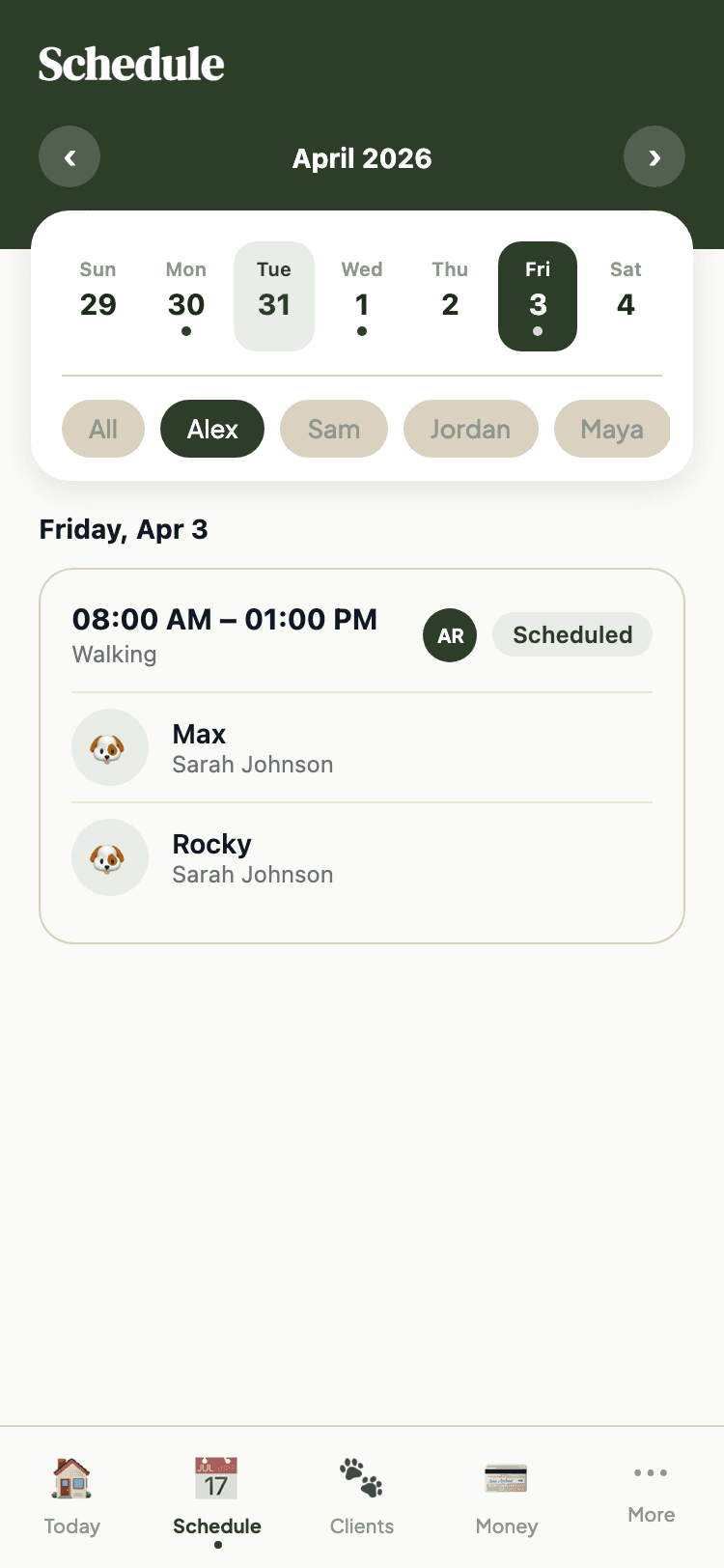
Repeat work schedules itself
Set a weekly pattern once and it fills the calendar ahead of you. Pause it for a holiday, resume it when you are back.
Handovers carry the context
Reassign a booking and the notes travel with it, so whoever covers arrives knowing the gate code and the nervous dog.
Clients ask, you decide
Requests arrive in one queue. Approve or decline with a reason, and nothing lands on your calendar without your say-so.
Everything Booking & Scheduling does
- Calendar view with pending, upcoming, and completed bookings
- One-tap request approval or decline with reason notes
- Recurring booking support: weekly schedules with up to 60 occurrences
- One-off bookings for single visits
- Multi-pet bookings with per-pet billing amounts
- Booking reassignment with handoff notes for staff substitution
- Group walks and classes for the services that run them
- Actual start and end time tracking
- Client-initiated schedule requests with approval workflow
- Pause and resume recurring schedules
- Service-type-specific bookings: walking, sitting, grooming, boarding, training
- Calendar sync: pipe your schedule into an outside calendar
Built for dog walkers and dog groomers.
Ready to Try Booking & Scheduling?
Get started free. No credit card required.